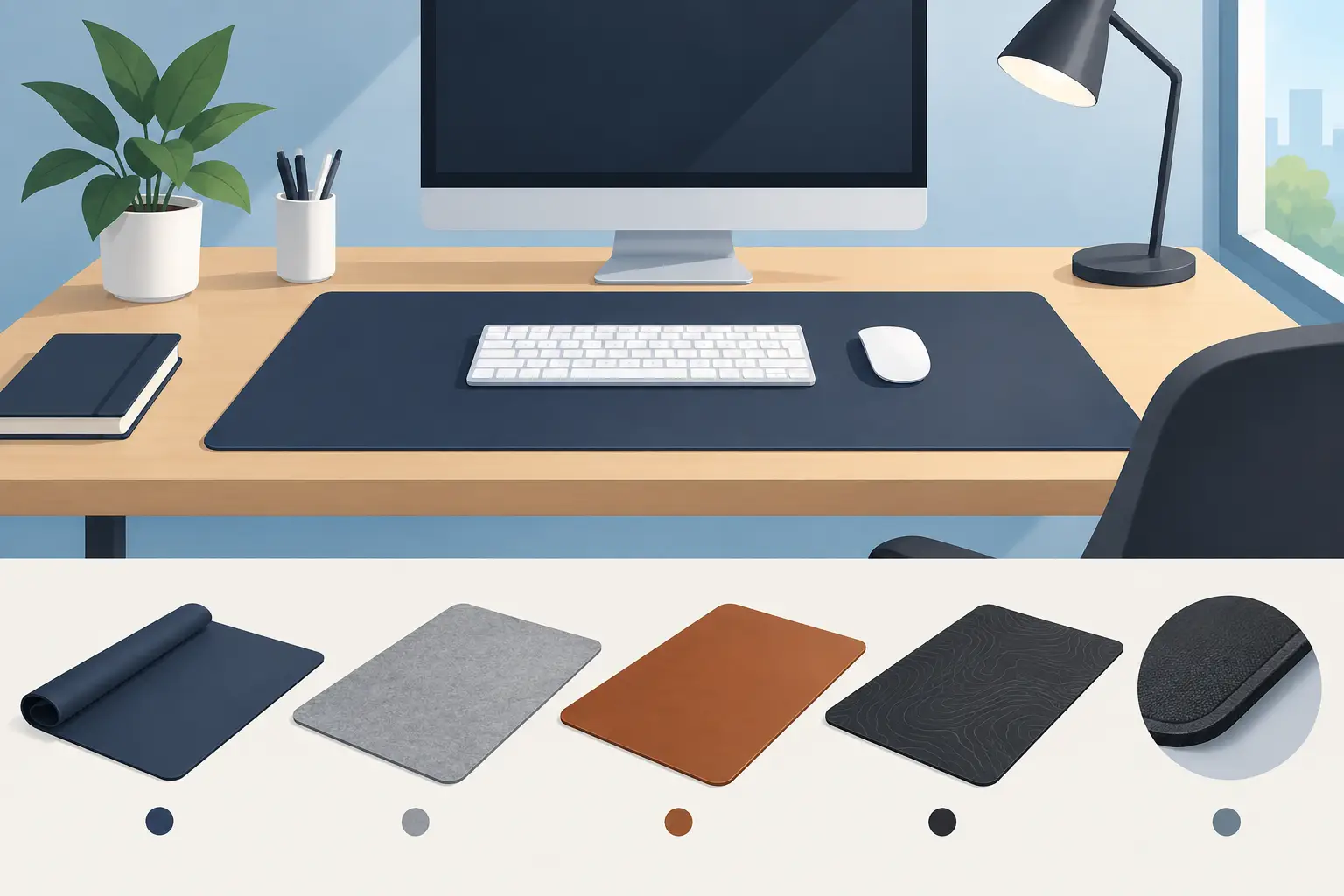
A Guide to Choosing Desk Mats That Fit Your Desk

Your desk is where emails go to multiply, coffee goes to cool unnoticed, and one brave pen eventually disappears forever. A good desk mat will not solve all that. This guide to choosing desk mats will, however, help you create a work surface that feels better, works harder, and looks less like you gave up sometime around Tuesday.
A desk mat is one of those deceptively simple things. It protects the desk, gives your mouse a consistent surface, softens the sound of typing, and makes your setup feel intentional. It can also quietly announce that you have standards, even if your standards include drinking coffee at 3 p.m. and calling it a personality trait.
Start This Guide to Choosing Desk Mats With Size
The best desk mat size depends less on what looks good in a photo and more on what you actually do at your desk. A compact mat works well if you use a laptop, have limited space, or mainly want a defined area for your mouse and keyboard. It keeps things tidy without claiming the whole desktop like a tiny corporate takeover.
A larger desk mat is usually the better move for desktop setups, wide keyboards, multiple accessories, or anyone who likes a little room to move. It can sit under both your keyboard and mouse, creating one continuous surface rather than a collection of objects that appear to be negotiating their own borders.
Before choosing, measure the usable section of your desk. Not the total surface area. The usable bit. Account for monitor stands, speakers, lamps, docking stations, notebooks, and the coffee mug that is apparently a permanent employee now. Leave a little exposed desk around the edges so the mat looks placed rather than squeezed in under duress.
A quick size reality check
If your mouse keeps wandering onto bare desk, your mat is probably too small. If the mat forces your keyboard, coffee, and phone into an awkward little grid, it is probably too large. The right size gives your hands room without turning the desk into a padded runway.
Also consider your work style. Gamers and visual creatives often benefit from a larger mousing area. Spreadsheet people may care more about keyboard comfort and a clean landing spot for a notebook. If your job involves switching between tabs while pretending you are listening on a call, choose something that makes that routine more comfortable. No judgment. Minimal judgment.
Choose a Material Based on Real Life
Materials affect how a desk mat feels, cleans up, wears over time, and handles your particular brand of workplace chaos. There is no universally superior choice. There is only the one least likely to annoy you every weekday.
Fabric desk mats tend to feel soft and comfortable. They are often a good fit for people who type for long stretches, use a mouse frequently, or want a warmer, less sterile setup. A quality fabric surface can provide smooth mouse movement while taking the edge off the click-clack soundtrack of a normal workday.
The trade-off is that fabric can collect dust, crumbs, and evidence of lunch. Look for a mat that is easy to wipe or wash according to its care instructions, especially if your desk is also your dining table, crafting station, and occasional life-planning headquarters.
Leather or faux-leather mats have a cleaner, more structured look. They are usually simple to wipe down and can suit a more polished office setup. They may feel firmer under the wrist, though, and some mouse sensors perform better on textured surfaces than slick ones. If you use a mouse all day, confirm that the material provides reliable tracking before committing to the very serious adult desk aesthetic.
Cork, felt, and other textured materials bring character, but each has a personality. Felt feels soft and quiet but can show marks. Cork has natural warmth but may not offer ideal mouse glide. Hard desk pads are easy to clean and often durable, though they can feel less forgiving during long typing sessions. Your wrists, mouse, and tendency to spill iced coffee all get a vote.
Think About Mouse Movement and Keyboard Comfort
A desk mat should make daily tasks easier, not become another object you have to work around. If you use a mouse for detailed design work, gaming, or endless calendar rearranging, pay attention to glide and precision. A smooth, consistent surface helps your mouse move predictably. Too much texture can feel draggy; too little can feel fast in a way that makes your cursor seem emotionally unavailable.
For keyboard users, thickness matters. A lightly padded mat can make typing feel more comfortable and reduce noise, especially on a hard desk. But very thick mats may raise your keyboard higher than you like. That can be fine if you use a wrist rest or prefer a taller typing angle. It can be less fine if your shoulders begin composing a formal complaint.
The edges matter, too. Stitched edges tend to improve durability on fabric mats and help prevent fraying. A thin, clean edge is generally more comfortable than a bulky raised border that catches your wrist every time you reach for the mouse.
Pick a Design You Will Still Like in Six Months
A desk mat takes up visual space. That is the point. It should make the desk feel like yours, not like a staging area for a catalog that sells suspiciously empty notebooks.
Neutral colors work if you want your monitor, keyboard, or other accessories to take center stage. Darker colors are forgiving if your desk attracts crumbs, pet hair, or the consequences of eating one snack near a keyboard. Lighter mats can make a small workspace feel open, but they ask more from you in the cleaning department. They have needs.
Graphic desk mats add personality without requiring a neon light strip or a motivational quote about hustle. A simple high-contrast design or dry line of text can be enough. The best designs feel like an inside joke you do not need to explain to everyone on the video call.
Consider contrast, too. If you use a dark mouse and keyboard, a lighter mat can help visually define your setup. If your desk already has a lot going on, a restrained design may create balance. If your desk is aggressively beige and your meetings are aggressively pointless, a little sarcasm might be exactly the decor plan.
Do Not Ignore Grip, Thickness, and Cleanup
The underside of a desk mat is not glamorous, which is probably why it gets ignored until the whole thing starts sliding around. Look for a non-slip backing if you type heavily, move your mouse quickly, or have a smooth desk surface. A mat that shifts every time you use it is not a desk accessory. It is a low-grade nuisance with corners.
Thickness is partly about comfort and partly about practicality. Thin mats lie flatter and are easier to move, while thicker mats provide more cushioning. If you regularly pack up your workspace or work from different locations, choose a flexible mat that rolls or travels easily. If your desk setup is permanent, a thicker, more substantial option may feel better day after day.
Cleaning should match your habits, not your aspirational self. If you know spills happen, favor a surface that wipes clean quickly. If your desk is generally tidy, fabric may be a comfortable, durable choice. Either way, giving the mat a quick wipe now and then prevents it from becoming a historical record of every snack you have had during "busy" weeks.
Let Your Desk Mat Do a Small Job Well
You do not need a desk mat that promises productivity enlightenment. You need one that fits your desk, supports your tools, and gives you a small amount of joy when you sit down to face another inbox. That is plenty.
Choose the size that gives you room, the material that suits your daily mess level, and a design you would not mind seeing during your third meeting of the day. A desk mat from SarkyJoe can add the final useful, mildly judgmental touch. Your desk still will not answer emails for you, unfortunately, but at least it will look like someone with surprisingly good taste works there.
Comments